
 EDU Education Network Email Registration Application
Introduction
Recently, it is also considered to be a manual grip a lot of A1/A1P, although and script big brother than not up, but also considered a little experience.A1 and A1P are Microsoft to the school issued by the educational Office 365 license, the biggest difference is that the A1 does not come with the desktop Office client of the A1P, but each number comes with a 5T OneDrive. feel that a lot of netizens in the hands of the a1 domain name but will not use, first of all, the common binding of the global a1 domain name, this kind of don't want to take the management, the work order to mention the right to must drop the education tag and subscription, can only be used as a domain name mailbox and then register a sub-number to play with.
Introduction of Terms
Education Tag This is a Tag issued by Microsoft to the entire board that qualifies for the education discount, and this Tag can be used to purchase a 150w A1 license, which is unlimited A1, or it can be used to sneak in a license. But the question arises, how does Microsoft know if you can take advantage of the education discount?
The overall picture of education Refers to the way not through the domain name, to the Microsoft manual customer service to submit the information of the school and so on, to achieve the purpose of having an educational Tag, can not bind the domain name that only onmicrosoft domain, have seen some of the big brother in the sale.
Education Domain 也就是所谓的白名单域名,非edu的白名单域名主要是在先前很多国家没有专属的Education Domain Name Suffix(如edu.cn这种),学校不得不自行注册域名(如com org),并通过微软审核进入白名单。这里的白名单详细来讲分三种: -白名单A1P域名,分全域(*.test.com)和主域(仅test.com),符合要求即可偷渡A1P许可 -白名单A1域名,同上 -各国的官方edu教育域名,有传闻是微软为了加快审核,给不少国家的教育域名开了绿灯,绑定上去就认可你是合法的学校,有资格购买或偷渡A1,这种域名即使解绑也不会丢失教育资格,不过显然是不好搞 quote Currently known A1 white space domains: *.edu, *.edu.cn, *.edu.tw, *.edu.mn, *.ac.jp, *.edu.ph, *.edu.in, *.edu.pk, *.edu.kz, *.edu.af, *.edu.sa, *.edu.bh, *.edu.qa, *.ac. ae, *.edu.by, *.edu.md, *.edu.ro, *.edu.al, *. edu.me, *.edu.ba, *.edu.gt, *.edu.bz, *.edu.jm, *.edu.tt, *.edu.co, *.edu.ve, *.edu.bo, *.edu.ar, *.edu.uy, *.edu.ly, *.edu.dz, *.edu.et Currently known A1P white domains: *.yale.edu, *.cicschool.org, laurelschools.com edu.rs/edu.hk/edu.pl were also on the white list in 2015, but were later moved off the white list because they were too easy to apply for and too many people were woolgathering There are also some that are on the white list for unknown reasons, such as UK ac.uk domains, etc., although they are not personally registrable. There are also some domains for unknown reasons, such as ac.uk in the UK, which are not registered by individuals but are not on the whitelist. The rest of them are not on the whitelist, so don't even think about it, but the ones that are still on the whitelist are not easy to apply for. It seems that .com/.org has been basically swept away, and I can't get any.
Smuggling bills The one that people generally hear the most about is Stowaway. Stowaway is a smaller number of licenses issued by Microsoft for unlicensed education domains, now are 500 + 500 a total of 1k number of licenses, but run out can continue to stack 300 licenses, at the same time, now A1P can only be obtained through the stowaway method of obtaining licenses. The bill is to take the education Tag serious to buy education licenses, free can only buy A1 150w, that is, the method used by the serious school, but everyone's education domain is generally not in name, but also very easy to trigger the Microsoft wind control, when the time comes to seal the subscription can only be re-traced back to the old way of stowaways.
Assuming that you have a domain name, no education tag but have an education subscription or dropped the license, you can self-register through the mailbox to get an education license, when your subscription does not have a license, this can give you an increase of 500 subscriptions, the students and teachers each brush 1k, but the smuggling of the license is not stable, if it is the Microsoft wind up there is a possibility that the direct seal of the management.
seize power Lifting refers to elevating a regular user to a global administrator, but obviously this step is definitely not doable on your own, you need to contact Microsoft, it usually happens when the administrators are all flipped or when you buy a domain name and realize that it's already tied to another global.
Of course, if the latter case, the domain has been tied to another global, you can also open a post office and then go self-registration variant of the number, but ultimately not very secure, there may also be the administrator deleted the domain, if the deleted did not fall off the education of the domain name qualification that naturally congratulations, if it fell off ..... Of course, strictly speaking, this is not called a power, it should be called power, Microsoft will verify the information of the original administrator.
raise a proposal Back to the point, if you have to go to mention power, you can first open another domain to register E5, and then open a work order to contact Microsoft, usually there will be Microsoft people call back to you, request to add and verify the TXT record, you can provide a sub-number to mention power to the global management. It should be noted that if it is the case that their own administrators are overturned, then Microsoft will not necessarily be happy to mention the management, it is best not to mention the whole process of their own subscription to the administrator what and so on, just say ** their own school IT department changed **, before the administrator to do things uninformed also has nothing to do with me, there is no original administrator's account passwords tied to the mailbox information, and so on (I hope Microsoft can believe your ghost story), and so on. Ask for a power lift, provide information as needed by Microsoft, give what you want, don't say nothing.
seize power If it's a power grab...then there are generally two options, if you can fool Microsoft and provide information about the administrators in that global, including cell phone numbers ah, email ah and so on, it's generally possible, but apparently it's a little too difficult, not only that, but now Microsoft will also try to contact the original global administrators in a variety of ways, including sending emails and so on, and the original administrators will fail as soon as they intervene, and you The hard-earned sub-numbers will apparently also be taken back and self-registration turned off. Most are verifying the domain and then asking Microsoft to unbundle that global domain, then again you may run into the problem of unbundling off the education domain eligibility, more than you can afford...
PS This stuff needs to deal with Microsoft customer service, have to be flexible, according to their own situation and the information they have to choose the right strategy, raise the right and seize the right is also common, the purpose is to ensure that the education preferential eligibility to get the whole picture, submit a work order before, be sure to do a good job of anti-generation and what not......good luck, because it is really not good to tidy up.
data center
Some people are still more concerned about the physical data center location of their OneDrive, the easiest way to determine is to use ipip.net inside the regions of Azure node tracking *-my.sharepoint.com routes to see, Azure uses DNS can resolve the real data center IP rather than the Anycast-CDN Of course, if your OneDrive has only just come into effect (e.g. just signed up to get an A1 trial license), it's the physical datacenter IP until the CDN comes into effect, and OneDrive will resolve *-my.sharepoint.com to the Anycast-CDN IP after a certain amount of time.
Different Data Center Differences Generally speaking, different data centers in Microsoft Anycast CDN support, the use of the experience is more similar, but from a common sense point of view, obviously the closer to the physical data center speed faster and more stable. However, the speed of domestic to OneDrive mainly depends on the speed to the Anycast IP (spo-0004.spo-msedge.net 13.107.136.9), then is it possible to think that the different data centers are indifferent? In fact not, because in fact you can write hosts Hijack DNS and so on, so that your *-my.sharepoint.com point to your real data center IP, in some areas of some operators in some cases have a miraculous effect, it is clear that the HK area of the data center will be a great advantage...
Introduction to Risk Control 1. IP registration country Access code cell phone number does not meet the risk or used too many times, the trial authorization may not be passed
2. Purchase of unlimited licenses may be manually verified, so be sure to prepare your website and risk control
3. Stowaways may also roll over
4. The lightest form of wind control is to block the subscription and re-smuggle it.
5. The second is the blocking of all global administrators, which is very rare nowadays.
6. Banning of all administrators, including privileges and the like
7. And the Education Tag
8. as well as the current completely unsolvable SPO = 0, SPO can be understood as OneDrive's upload and download limitations, for the global share and personal account of the two, was used too much will limit access, more similar to OneDrive's API limitations, use more than can not access the API, after a period of time will be reset, access to the OD account needs to be greater than a certain value of the SPO! If the SPO is permanently blocked to 0, then OD is completely inaccessible, A1 is useless, but A1P can still be used to activate the client.
measures reduce a person's license to use a certain number of characters (esp. in a sports game) 1. drop the license solution: re-buy the license or smuggling 2. drop the tag solution: smuggling 3. seal management solution: set up privileged administrators in advance or set up the api
4. SPO zero solution: no solution
Registration Steps
A1 domain name, there are usually two cases, one is bound to the global, one is not bound to the global, about how to detect the a1 is registered method, you can use tg robot @ officea1bot directly enter the domain name to view, if not registered, then it will be prompted by the unbound global, bound to the global will be prompted to have been bound to the global, the other cases are not elaborated.
Domain Name Detection First of all, use tg bot to check whether your domain name is unregistered or use any prefix + @ + your domain name to input into the Microsoft URL just mentioned above, prompting the following figure, then congratulations, your domain name is unregistered domain name. tg @officea1bot

Sign up for an a1 trial account at this URL:registered address
When signing up for a Microsoft 365 / Office 365 A1 trial subscription, be sure to use a clean IP, a clean cell phone number [IP and cell phone number should preferably be in the same country, I use a US IP and a US physical cell phone number], preferably in untraceable mode, and the address should preferably correspond to the IP. When registering for Microsoft 365 / Office 365 A1 trial, if the Microsoft 365 / Office 365 A1 trial subscription does not appear, then be sure to change the IP, change the cell phone number, change the address, and start all over again until the Microsoft 365 / Office 365 A1 trial subscription appears, then you can proceed to the next step! Just in case, it is better to wait for a few days until the Microsoft 365 / Office 365 A1 trial subscription stabilizes before adding the education domain.

Once you've registered, go to https://admin.microsoft.com/, log into the global admin account and password you just set up, and check to see if your subscription count is normal, if it's normal (meaning 5k+5k) you can choose to bind immediately, or you can stabilize and let it sit for a week and then bind again. The irregularity happened to me once, and it gave 25+25 a1 licenses right after registration.


Domain Binding Click on the picture to add a domain, or on the home page you will see a domain that lets you bind a domain that has an educational license, point that can also be, then enter your domain name, it is recommended to put the domain name on the cf, Microsoft supports automatic detection of domain names put on the cf, then if the detection is successful and no other problems, you will see this picture, then congratulations, you have an a1 global. 【License Acquisition】 If you are bold, you can let it go for a few days and then go buy a subscription, if you are not afraid to drop the education tag.

Our global mailbox also receives an official academic pricing email from Microsoft, which reads as follows
You are eligible to purchase a subscription at academic rates We have confirmed that the College is a Microsoft Qualified Academic Institution, which means that you are eligible to receive academic rates for Microsoft subscriptions.


Modalities of smuggling
1. Register for an A1/A5 trial, make sure that in the last step of the registration will not appear what error or please contact the support department or something, and enter the background after the trial license can be assigned, if not then congratulations you have been wind control, replace the mailbox to replace the cell phone to replace the IP and then start all over again.
2. Bind to your own education domain until "You are eligible for education benefits" appears (there are other ways to do this, after all, stowaways only look at the domain name, but our aim is to conform to the appearance of a regular school as much as possible, so my A1 never stowaways, but buys it, and only stowaways are carried out by A1P, which varies from person to person, for more details on this, please see: [Actually, you don't need to wait until the message "You are eligible to for education concessions"
3. Disable and delete your own trial subscription, open two non-administrator subnumbers, don't assign any licenses, and use your own educational domain (not onmicrosoft) for the suffix.
4. Change your browser or turn on no-trace access [https://signup.microsoft.com/signup?sku=Education](https://www.shinenet.cn/go/ aHR0cHM6Ly9zaWdudXAubWljcm9zb2Z0LmNvbS9zaWdudXA_c2t1PUVkdWNhdGlvbg) Log in with your own sub-number
5. Through the pickup code verification, all the way to the next step in the successful smuggling, two numbers of students and teachers are the whole once, that is, there are 500 + 500 subscription, A1 or A1P by their own domain decision

common problems
Can it be discharged after windshield control?
Basically unsolvable, Microsoft is very confident in its own level of risk control, generally at most accommodating to give you 48 hours for you to retrieve the data, ** so be sure not to put important data only in an OD!!!! **Blocking subscriptions and whatnot can still turn back on itself, blocking the global will save with privileged administrators, blocking all administrators will save with APIs opened in advance, education Tag dropped and SPO=0 is relatively unresolved, warrior please start over again. But in any case, the global that has been overturned more or less may be Microsoft continue to miss, except the original school to Microsoft to protest the rescue of the exception...
Where is the OD area?
Generally in their own registration, the choice of the country corresponding to the data center, but there are exceptions, such as the Asia-Pacific region will be randomly assigned to the country Hong Kong Singapore Japan three data centers, generally Hong Kong is the fastest, but also the most difficult to randomly to. What is the difference between CenturyLink and Hong Kong? Domestic speed is not as fast as CenturyLink, the advantage is that the API limit is better, basically no audit.
How many global can be activated for education domains?
For now, it's usually one, because unbundling drops the educational domain qualification, but of course there are exceptions, such as the domain-wide A1P, which can be activated for every subdomain, but of course the more activations you have, the higher the probability of a rollover.
How do you jack Microsoft Azure?
Education domains don't always grip Azure,[https://signup.azure.com/studentverification?offerType=1](https://www.shinenet.cn/go/ aHR0cHM6Ly9zaWdudXAuYXp1cmUuY29tL3N0dWRlbnR2ZXJpZmljYXRpb24_b2ZmZXJUeXBlPTE) Sign in with a sub-number of the education domain suffix. However, even if you don't have $100, the sub-number of the A1P domain can be free of the $200 for a month of cell phone trial, so glean and cherish it, the wind control is very strict (probably already gone).
Office 365 A1 / A1P Query Administrator for Blocked / Dead Admins
Project address: https://github.com/MoeClub/Office365
Go to: https://github.com/MoeClub/Office365
Download [Office365.ps1], and save it to a non-Chinese path on your computer.
Computer look for [PowerShell], select [Run as Administrator].
Go to the save path of [Office365.ps1] [cd / your path]
Type [PowerShell . /Office365.ps1]
Enter [any Microsoft 365 / Office 365 A1 / A1P / E3 MSDN sub-account and password that you can log in to].

Inquiry results
Login. ada@gv.com[Login User]
User Role: User【Login User Role】.
Admin User: [Enable] [Global Administrator Account Status] [Enable for global administrator is normal, Disable for global administrator is blocked, i.e. dead admin]masteryoda@gv.com;[Global Administrator Account]
Office365 Domain: [Verified]gv.onmicrosoft.com; [Third-level domain name at the time of registration] [Default]gv.com; [Default domain name]
Office365 SKU: EXCHANGESTANDARD_STUDENT; STANDARDWOFFPACK_IW_STUDENT; [License name].
Query Office365 SKU: [here you can see the number of licenses and subscription time by entering the license name above]

SkuName: STANDARDWOFFPACK_IW_STUDENT[License name]
ActiveUnits: 5000[Number of active licenses]
ConsumedUnits: 5[Number of licenses allocated]
TotalUnits: 5000[Total number of licenses]
SubscriptionStatus: Enabled[Subscription Status]
SubscriptionDate: 05/22/2020[Subscription time]
SubscriptionId: winvps.eu-abbc-4da9-b34d-1008611[Subscription ID]
Acknowledgment: This tutorial is referenced in the loc forum.Article 1Article 2respond in singingLittle girl who sells matches
Welfare at the end of the article
Bound global registrable A1 domain, not sure about azure
compositiveeducation.com
trico-edu.com
waveglobaleducation.com
edulink-systems.com
lordsgateschools.com
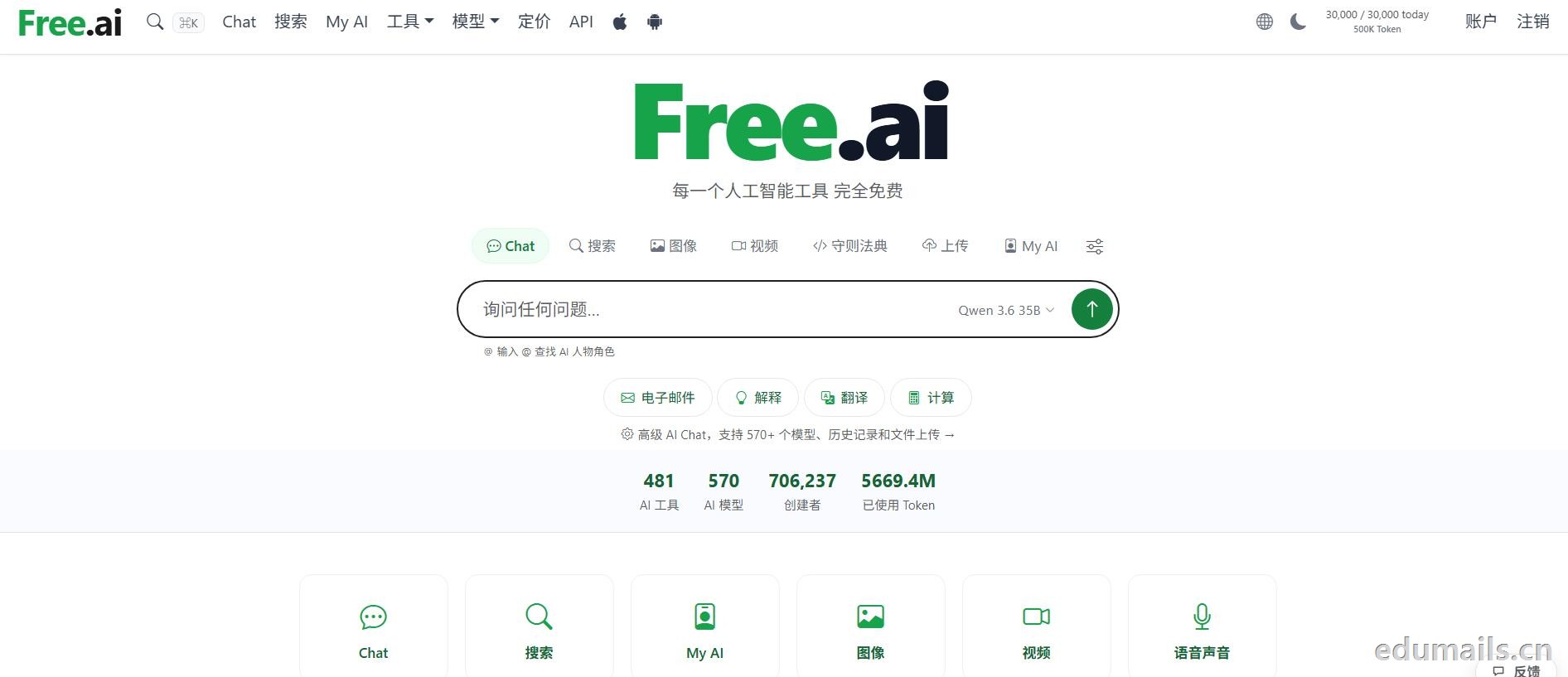
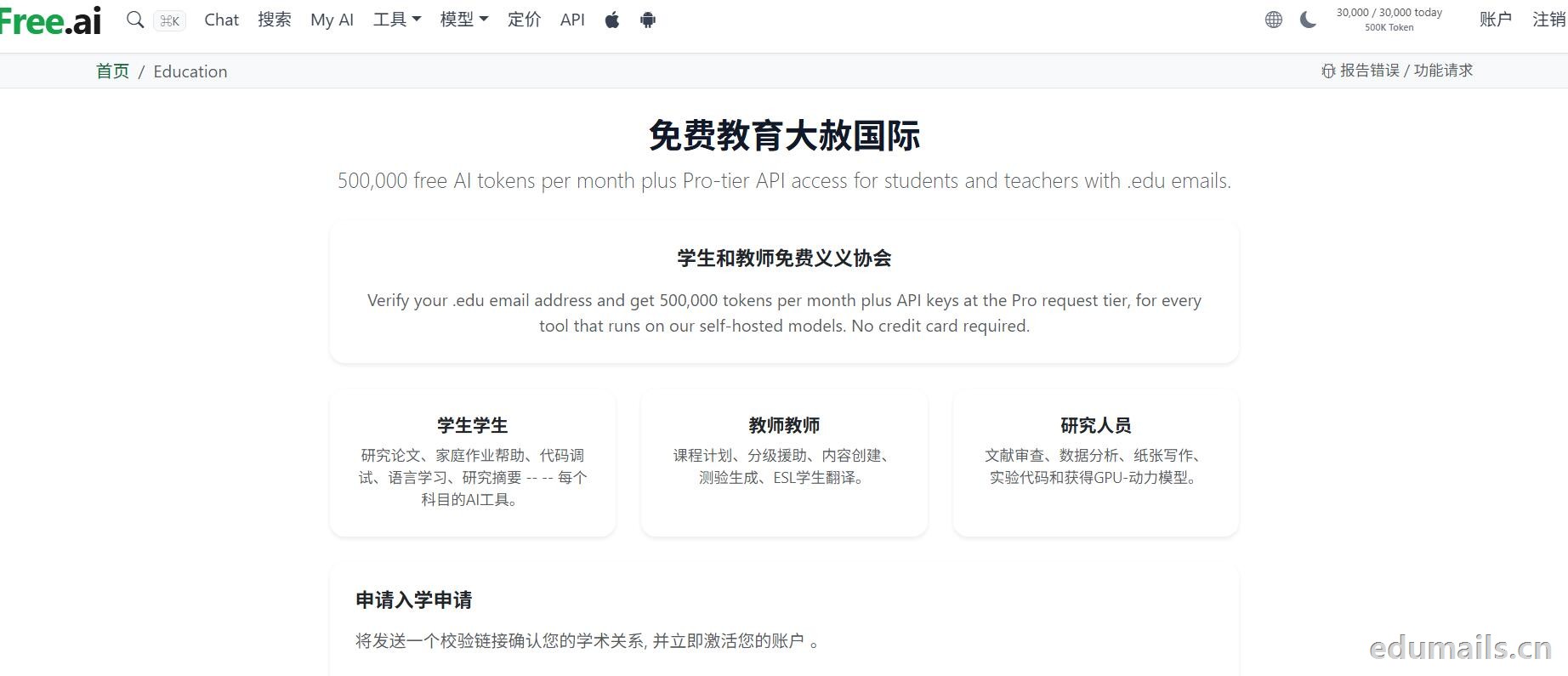 教育优惠不是「免费送 Pro 会员」。——
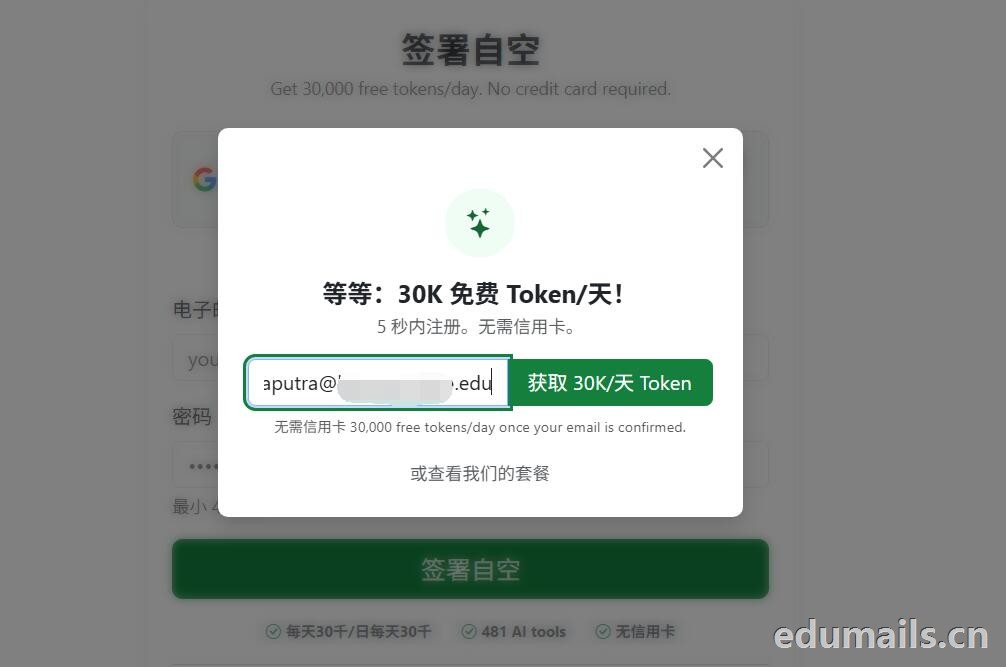 然后我们打开edu邮箱收件箱输入网站注册的邮箱验证码即可完成账号确认。
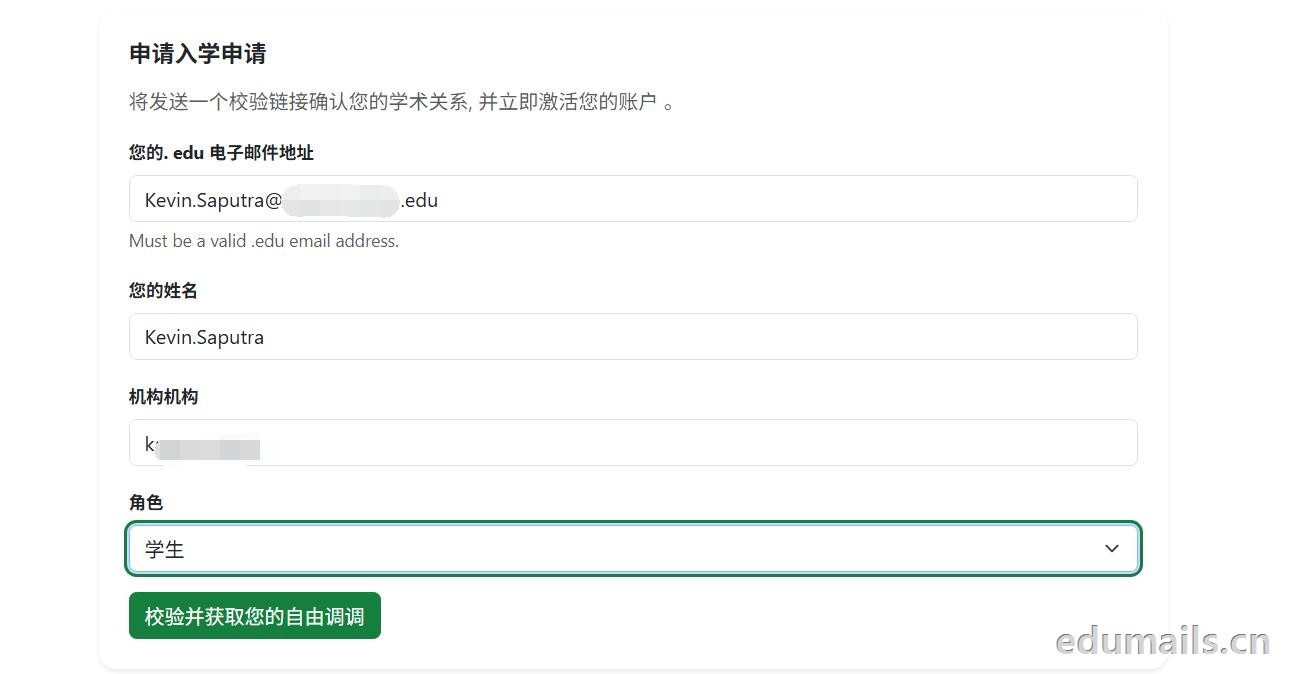 我们在您的. edu 电子邮件地址部分填写美国.edu结尾邮箱,姓名随便填,机构名称也可以随便,角色随便选。然后点击校验。
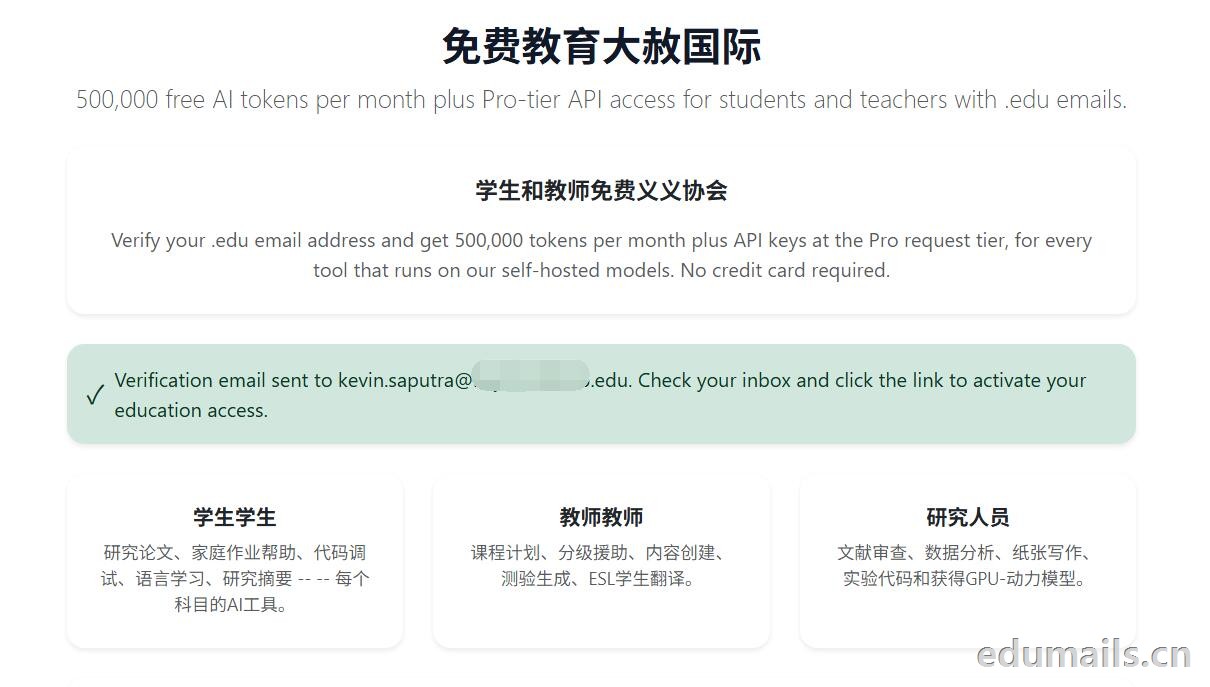 Verification email sent to kevin.saputra@xxxx.edu. Check your inbox and click the link to activate your education access.
验证邮件已发送至 kevin.saputra@xxxx.edu。请查看您的收件箱,并点击其中的链接以激活您的教育版访问权限。
我们打开edu邮箱的收件箱,会秒收到来自标题为”验证学校邮箱以获取 Free.ai 教育版权限“的验证邮件,如下图所示:
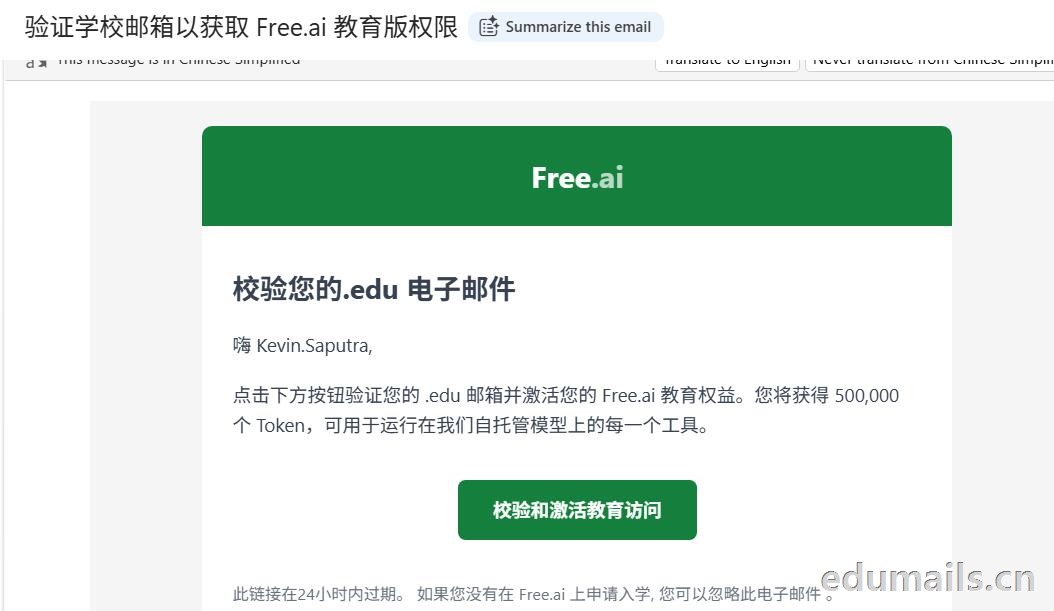 校验您的.edu 电子邮件,嗨 Kevin.Saputra,点击下方按钮验证您的 .edu 邮箱并激活您的 Free.ai 教育权益。您将获得 500,000 个 Token,可用于运行在我们自托管模型上的每一个工具。
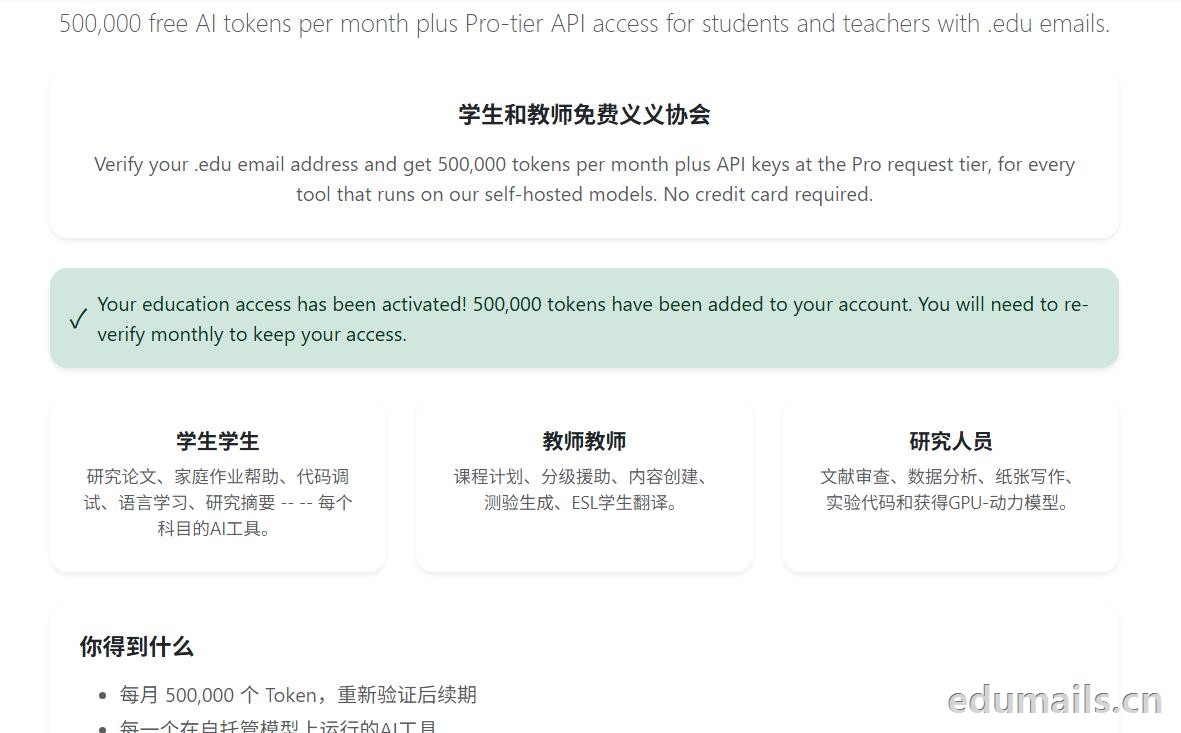 我们点击账户页面,Free.ai 账户页显示
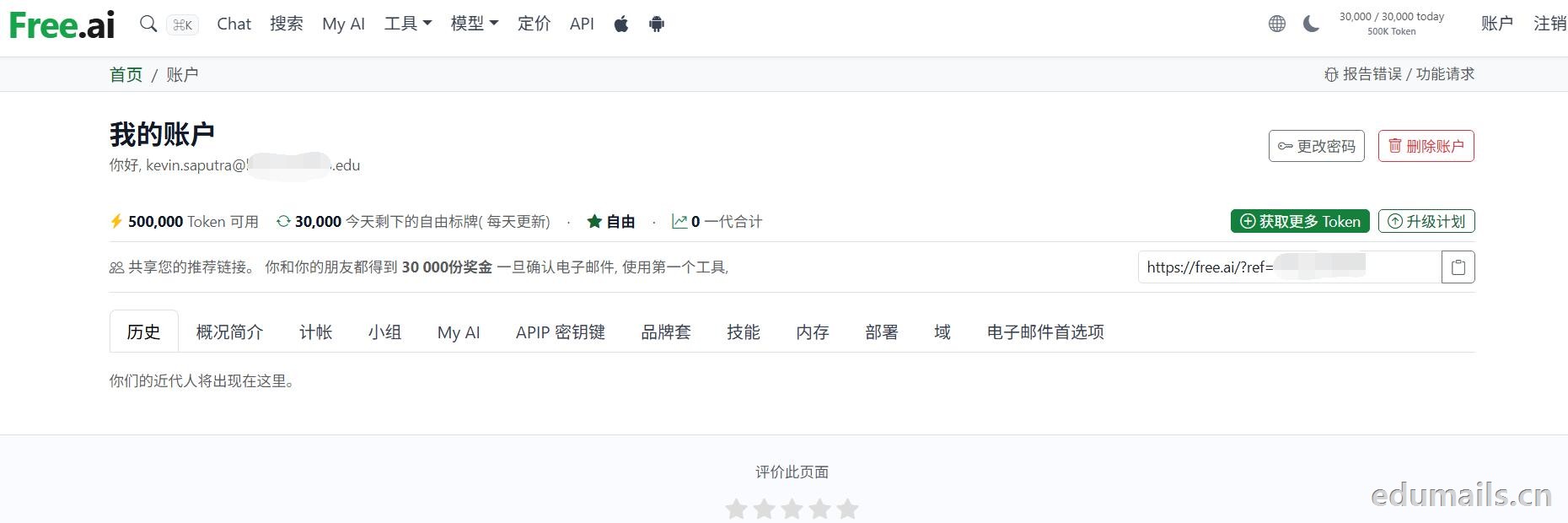 查看地址:https://free.ai/account/
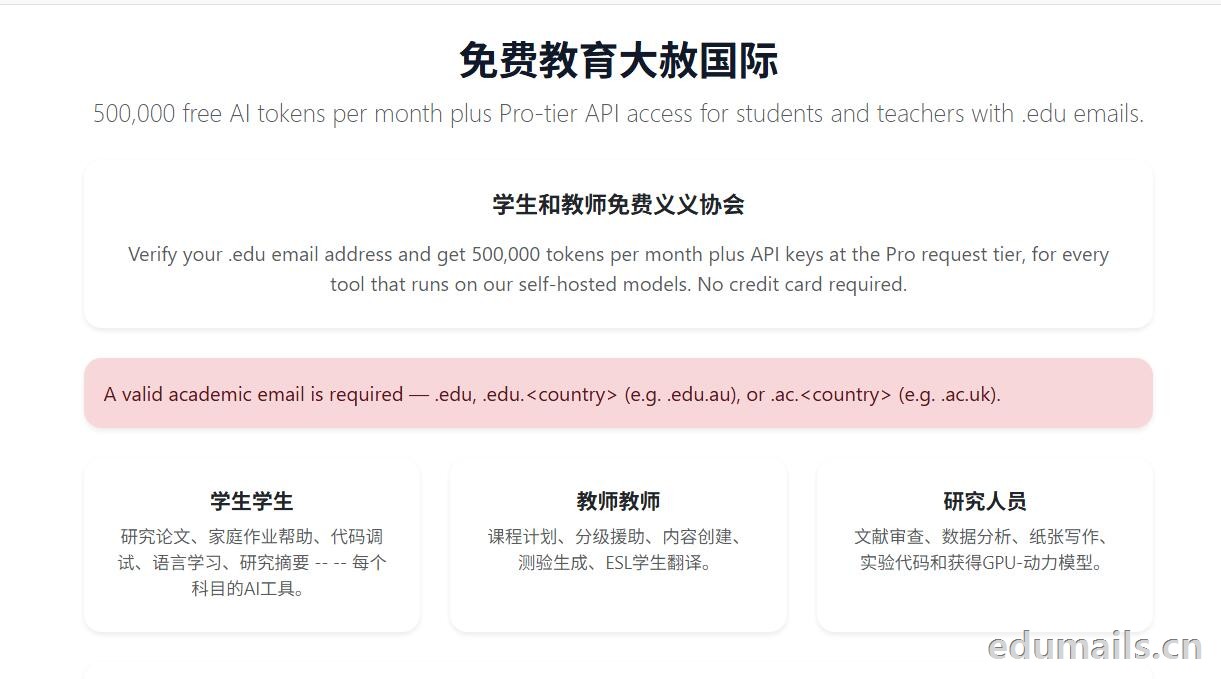 唯一的解决办法就是给官方发技术支持邮件,附带自己的在读证明和其他资质文件,进行人工授权,官方不保证成功通过。Email hello@free.ai or visit /contact/
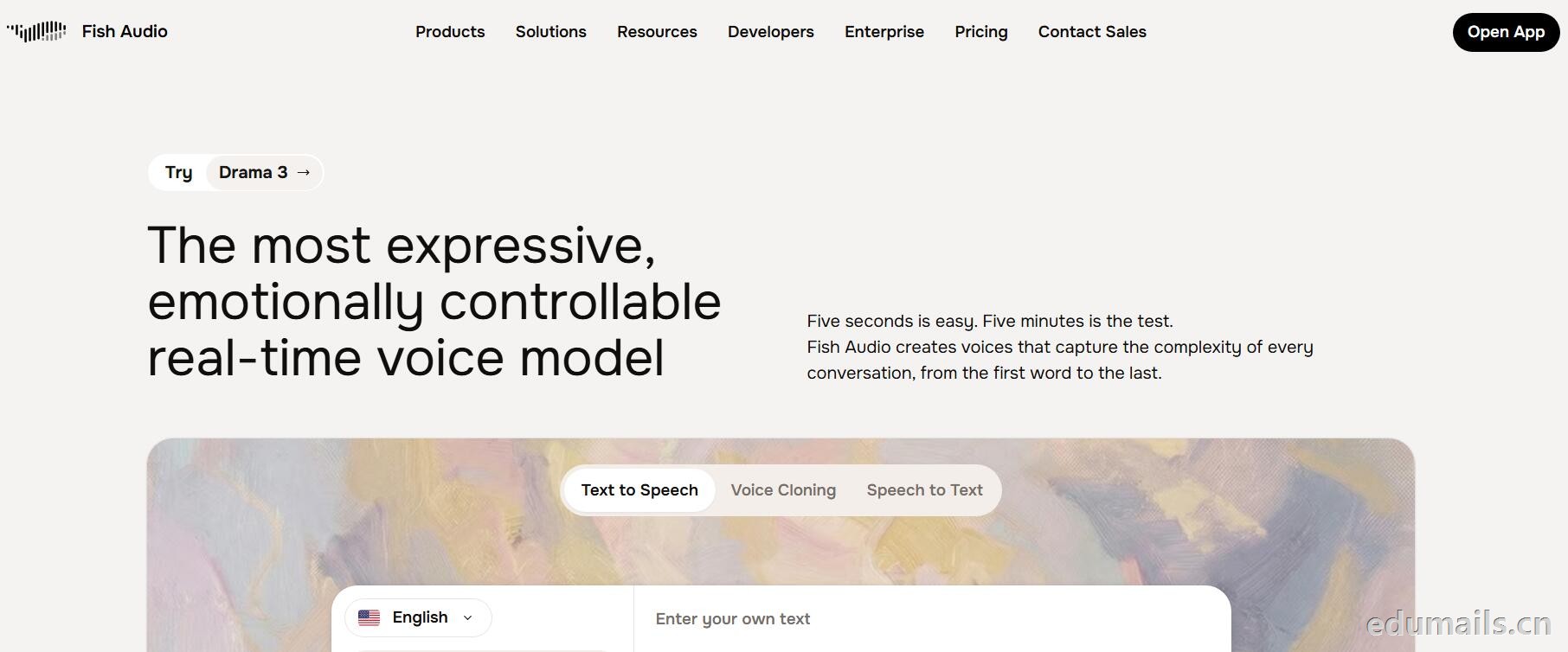
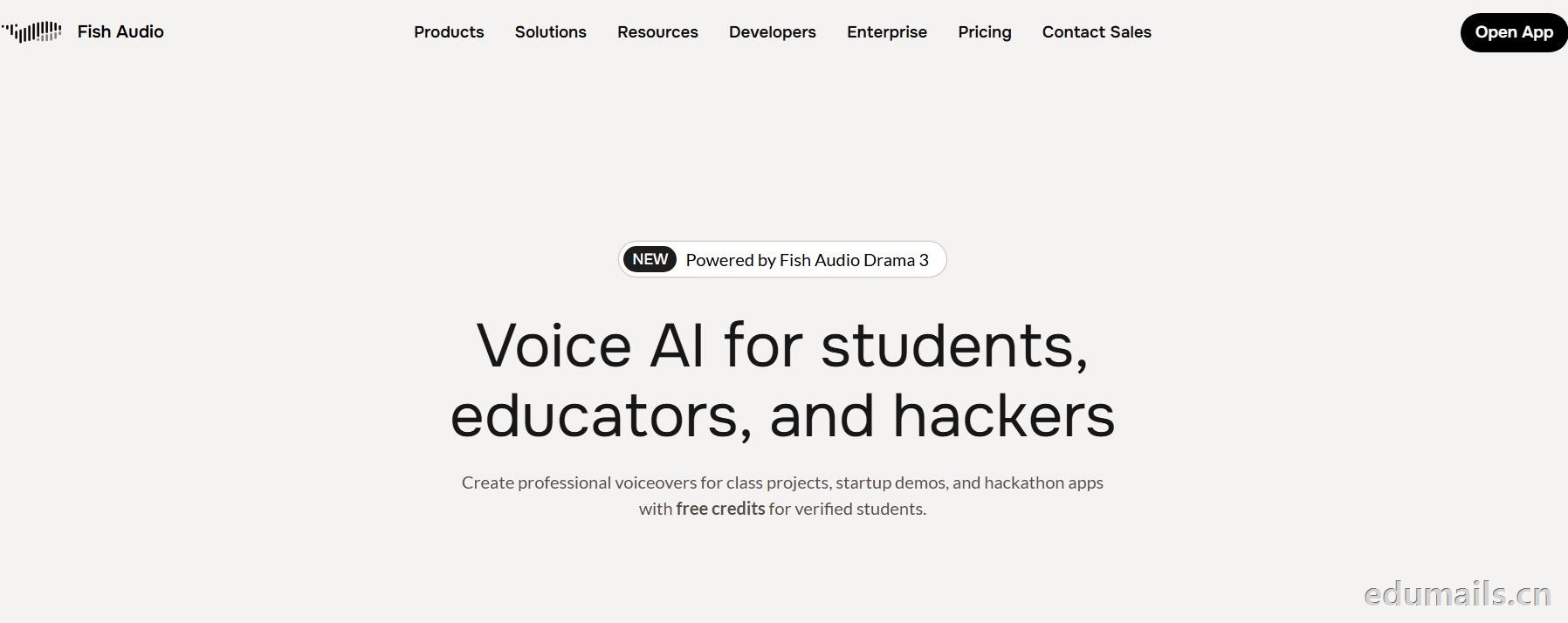 英文领取链接:https://fish.audio/app/claim/students/
中文领取链接: https://fish.audio/zh-CN/app/claim/students/
官方积分赠送:https://fish.audio/?fpr=edu 点击后即可获取1W积分
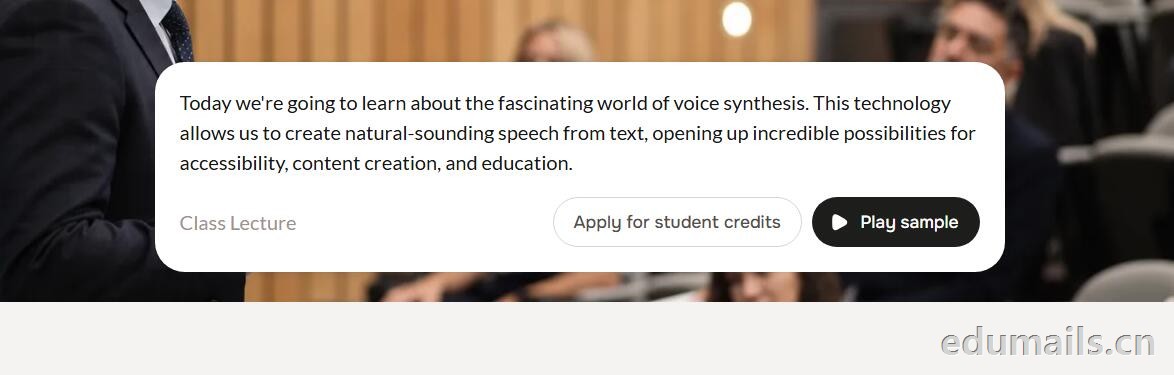
用 .edu 学生邮箱认证,领“免费积分”,做课堂/黑客松/毕设/校园项目配音和声音克隆,但不能商用。学生、教育工作者、黑客松选手都算目标人群。
免费积分(数额不公开,叫“generous credits”)可用全部语音模型、TTS、声音克隆(10 秒录音复刻音色)支持多语言(页面写 8 种/83 种说法不一,以账号内为准),含 完整 API 权限(接代码、做 Demo、黑客松 App 都能用),可申请当“校园大使”:每月额外积分 + 抢先体验新功能。
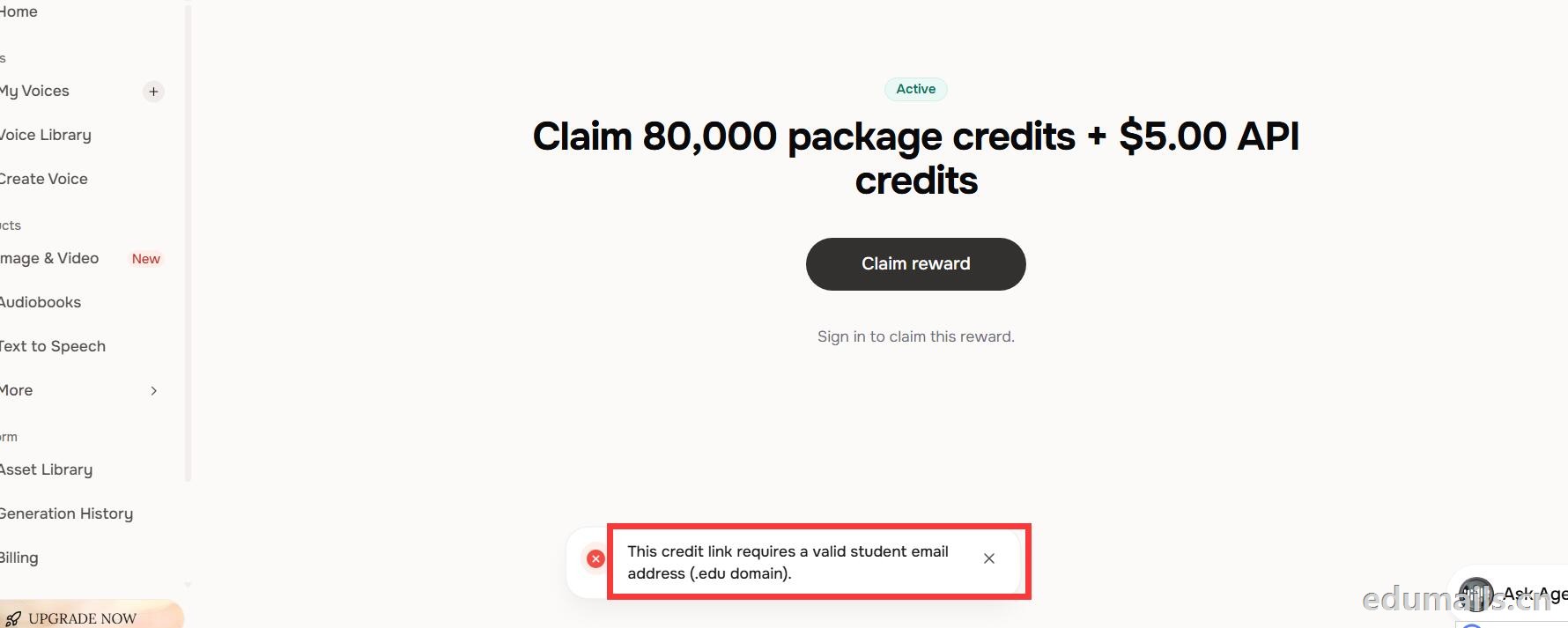
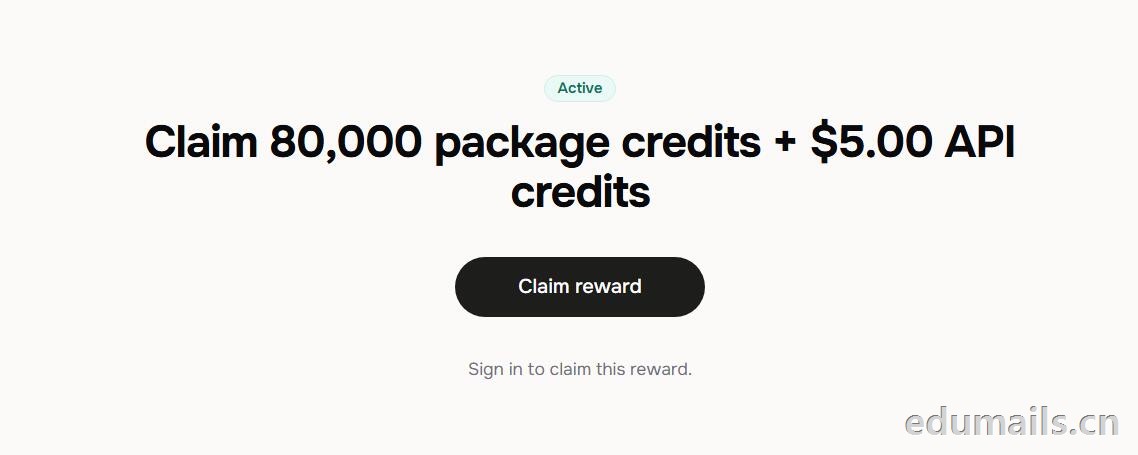 根据本站测试:额度为Claim 80,000 package credits + $5.00 API credits 领取 80,000套餐积分+$5.00 API 积分
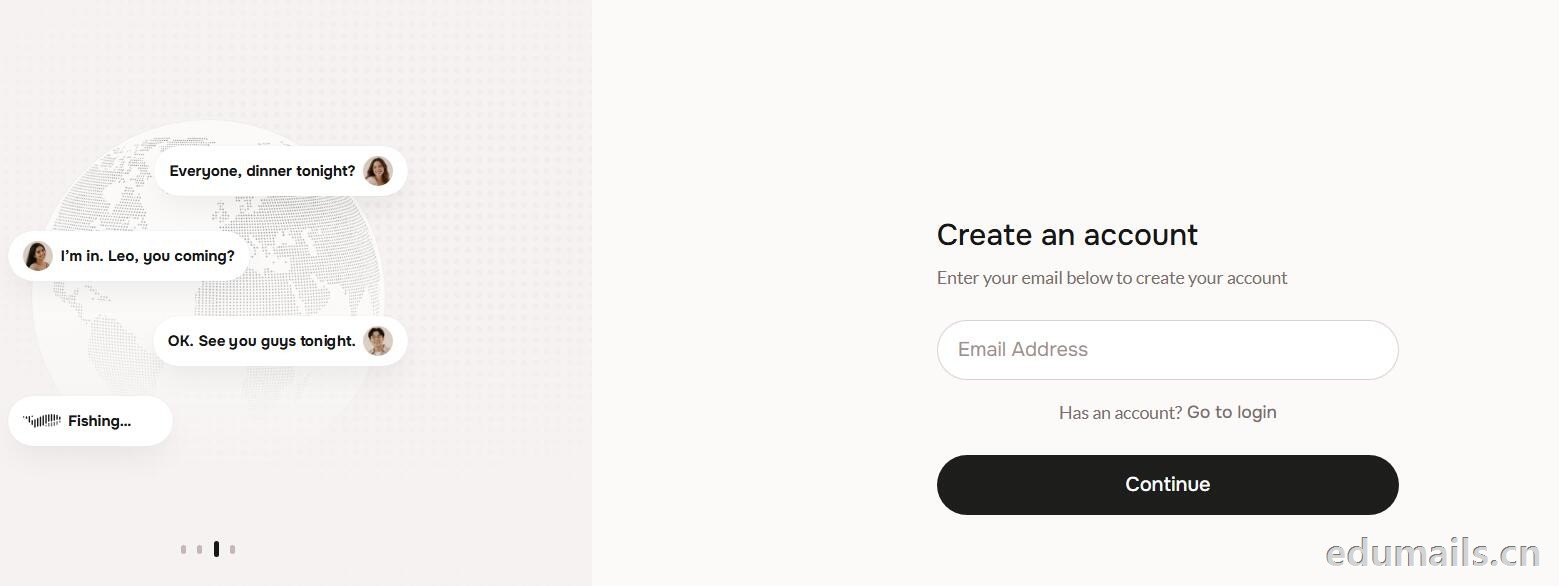
 提示创建账户:https://fish.audio/auth/signup/ 我们直接用edumailshop.com的美国edu邮箱进行注册演示。通过官方积分赠送活动:https://fish.audio/?fpr=edu 点击后即可获取1W积分.
Ps:我们如果在其他地方购买美国edu邮箱,一定要问是否为正规的,因为很多邮箱都是盗用的扫号来的,无法修改密保,也无法保证邮箱使用时间,所以我们不要贪图便利在某鱼购买。
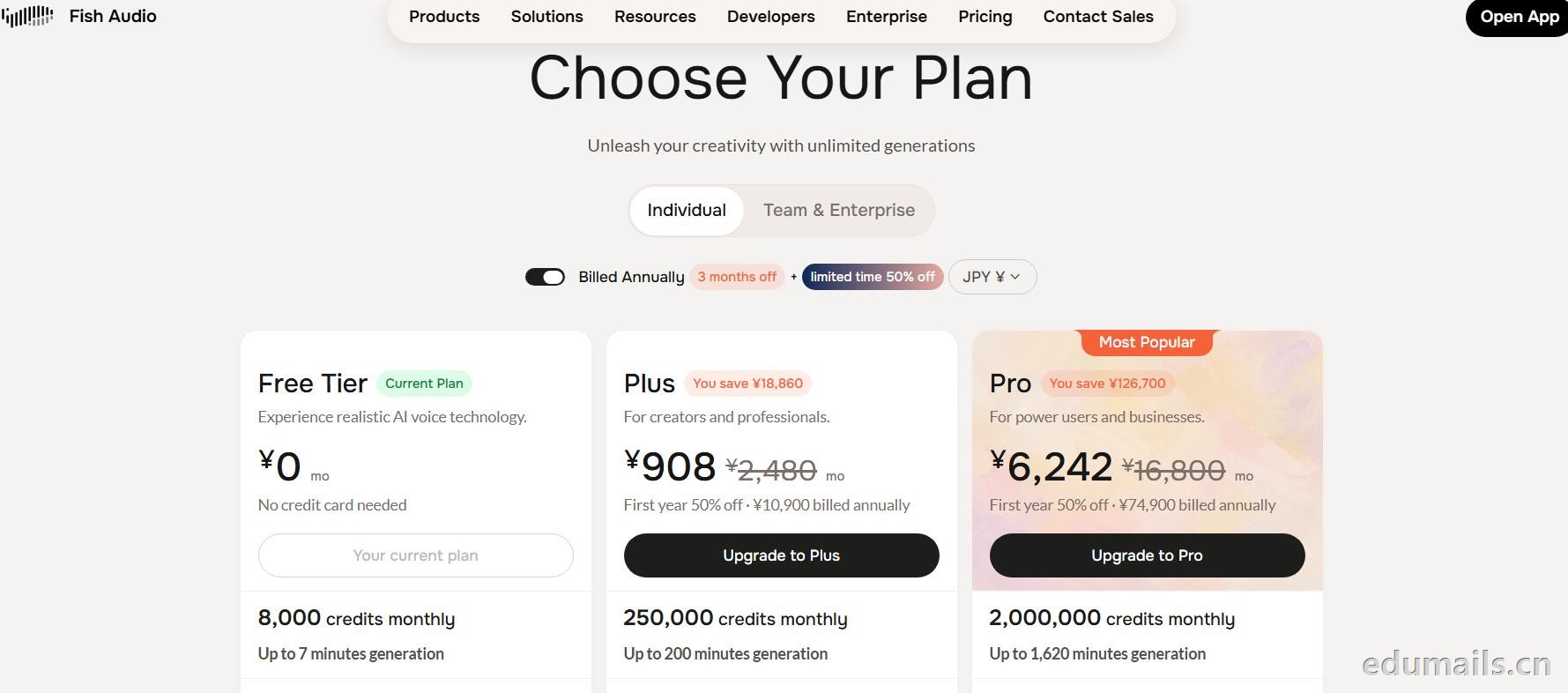
 我们查看团队设置https://fish.audio/zh-CN/app/team/?tab=usage 里面是没有领取80,000积分的赠送额度。只有赠送的8000额度。
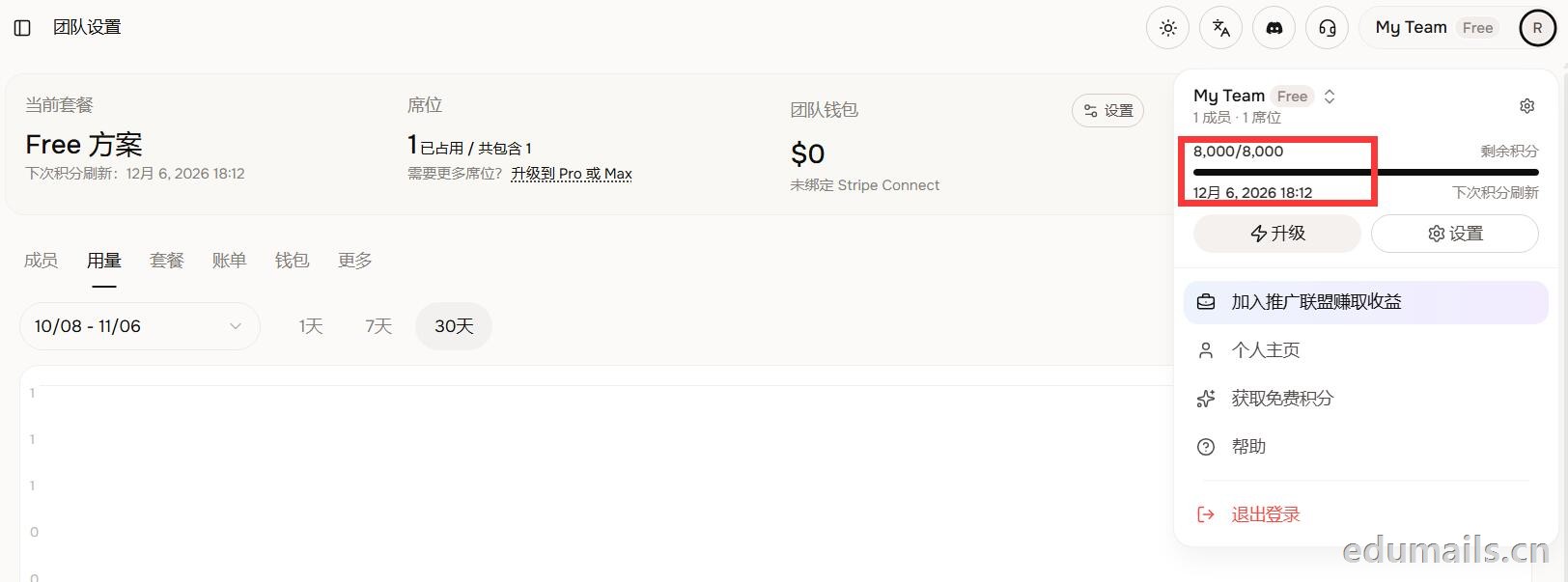 (失败)余额仍卡在8,000/8,000,无任何入账流水,只拿到普通免费版基础额度,属于典型的认证或链接未生效。
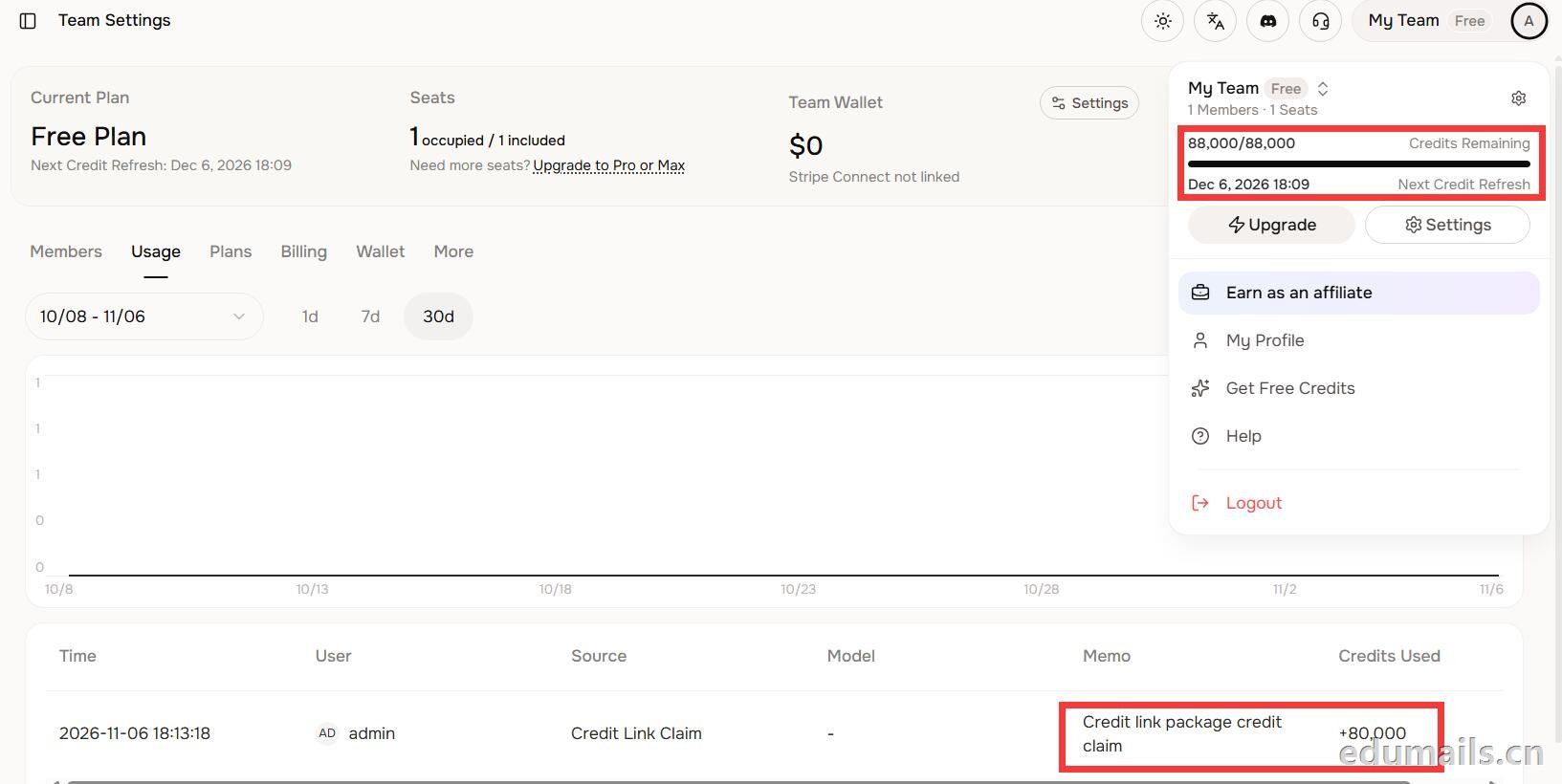 后台显示余额88,000/88,000,下方流水明确记录“Credit link package credit claim +80,000”,说明在基础免费额度(8,000)外,成功白嫖了8万教育包积分,这正好印证了上一轮说的“额外大额积分”,下次刷新在12月6日。
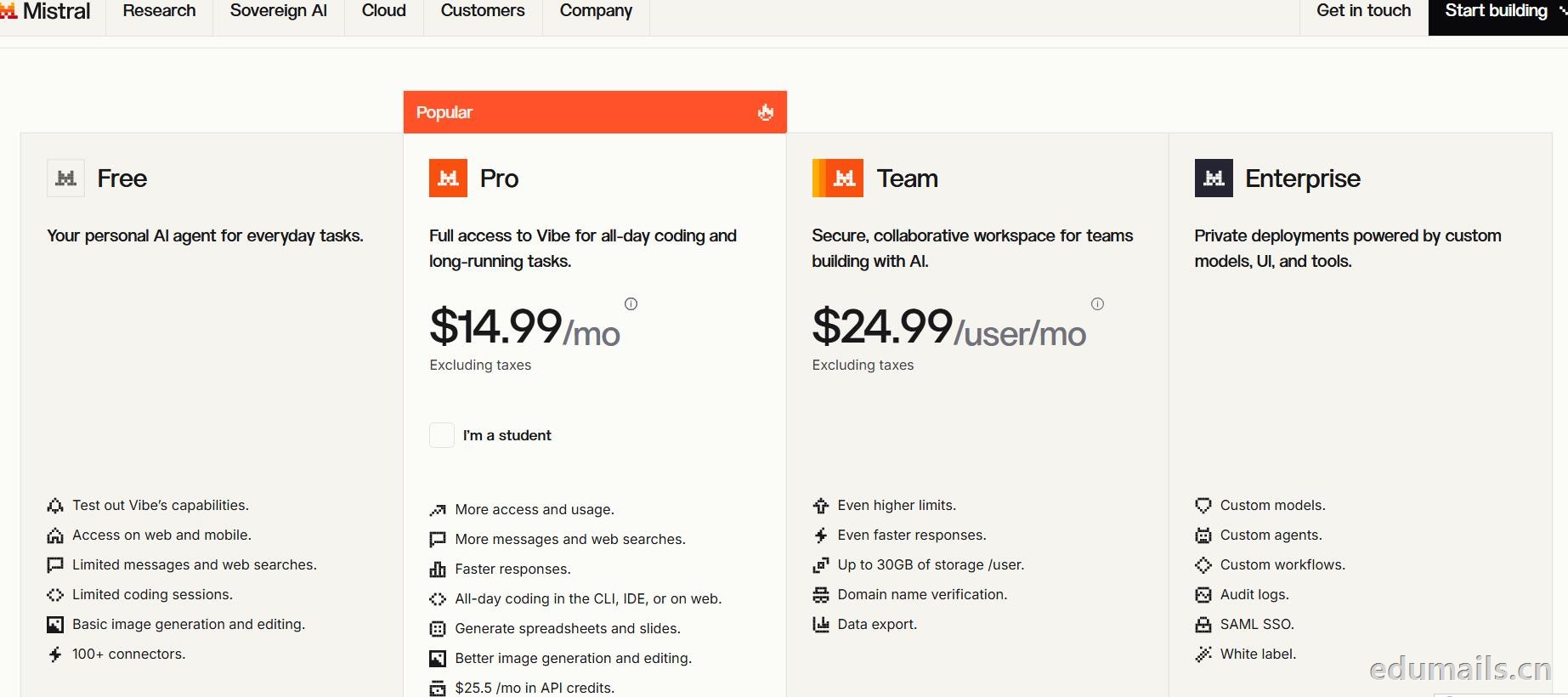
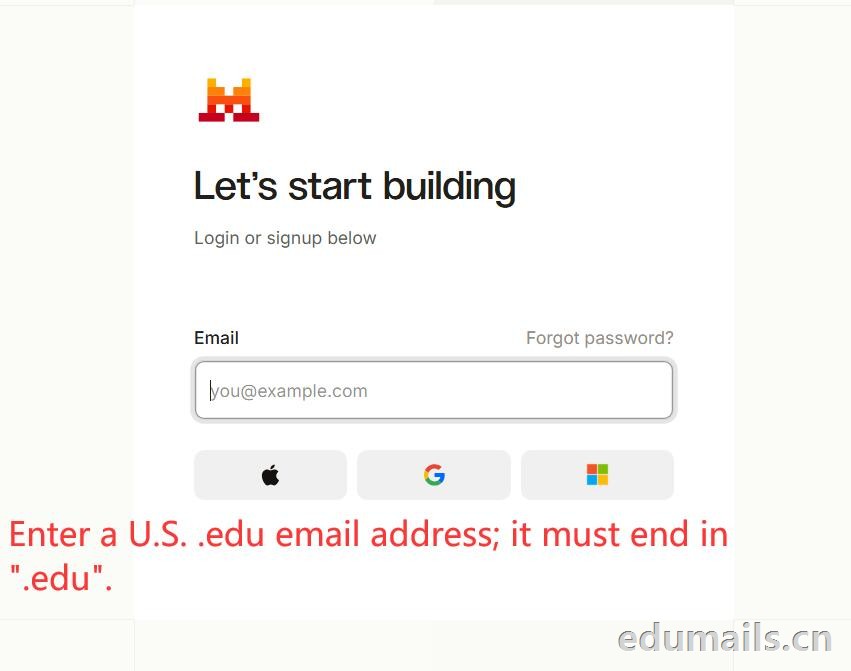
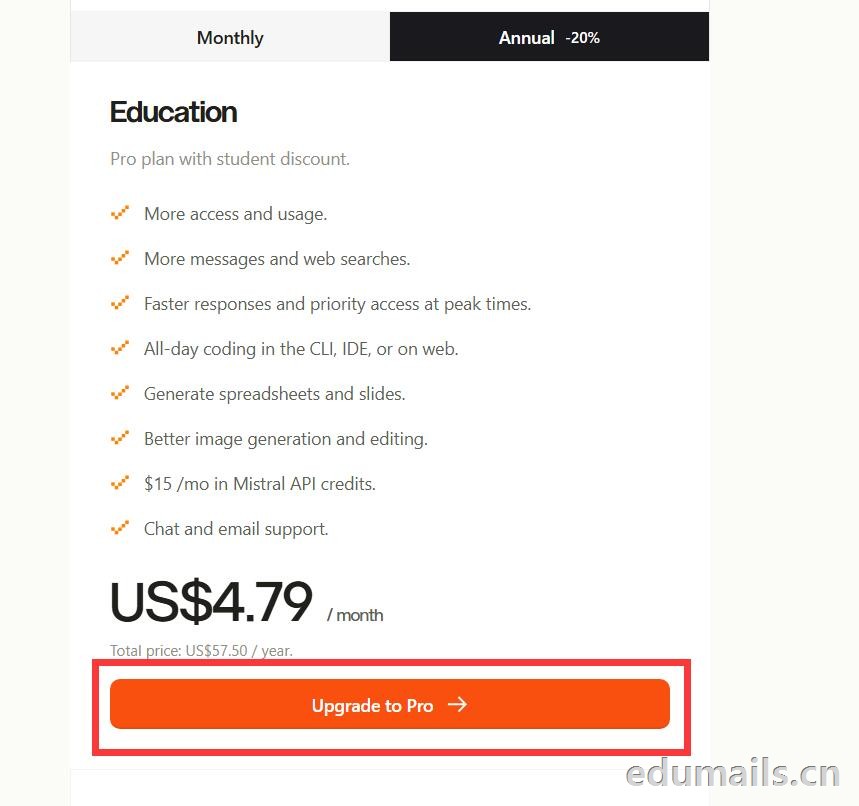
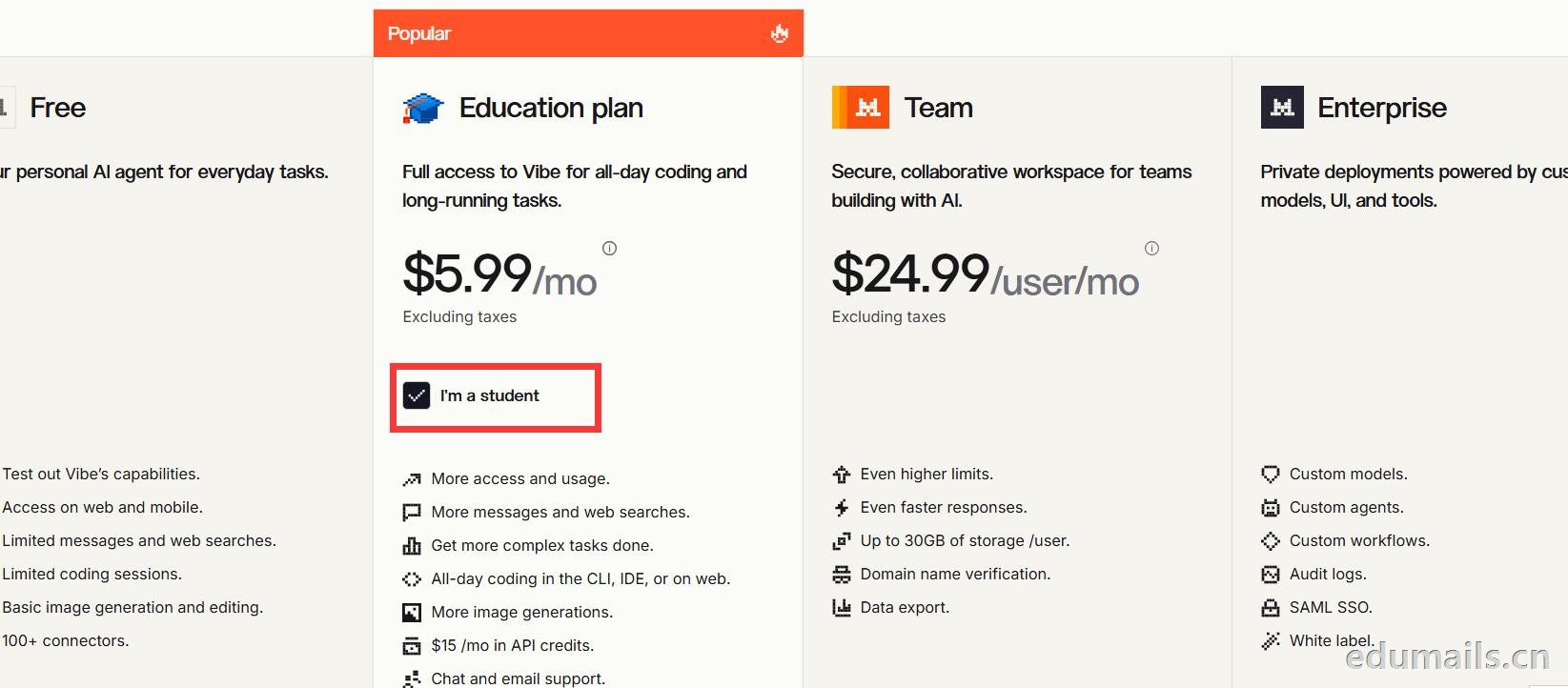 Mistral 的 Education 计划并不是一套独立套餐,而是面向符合条件的学生与教师提供的 Pro 折扣版本。获得优惠的唯一凭证,是由教育机构签发的机构邮箱;Gmail、iCloud、Outlook 等个人或通用域名邮箱无法通过核验,学生证、在读证明、确认信等书面材料也明确不被接受,不能作为替代。
订阅入口位于价格页的「I'm a student」按钮,也可直接打开 Education 计划页面完成流程:既可以用机构邮箱注册一个全新的 Mistral 账号,也可以在已有账号中先把绑定邮箱改为机构邮箱再订阅。
 如果我们的邮箱地址不符合官方学术资格要求,我们点击Upgrade to Pro 是无法点击,为灰色显示。
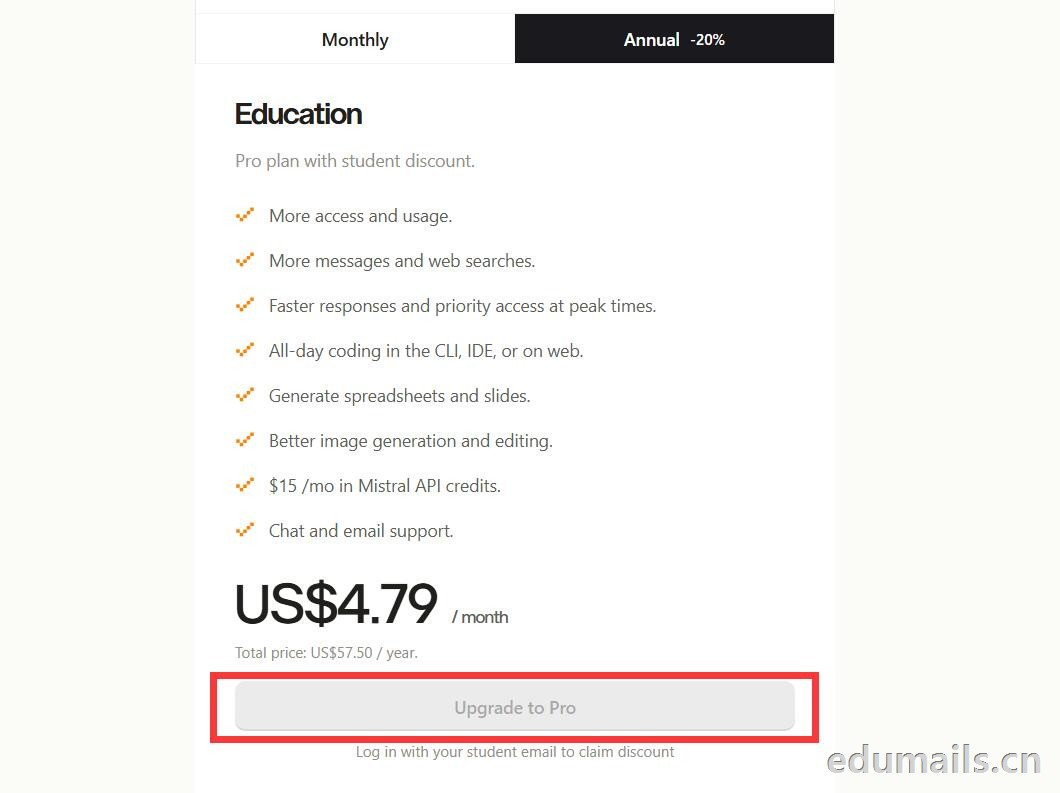 如果我们的邮箱地址符合官方学术资格要求,我们点击Upgrade to Pro 是高亮黄色显示,是可以继续点击下一步。
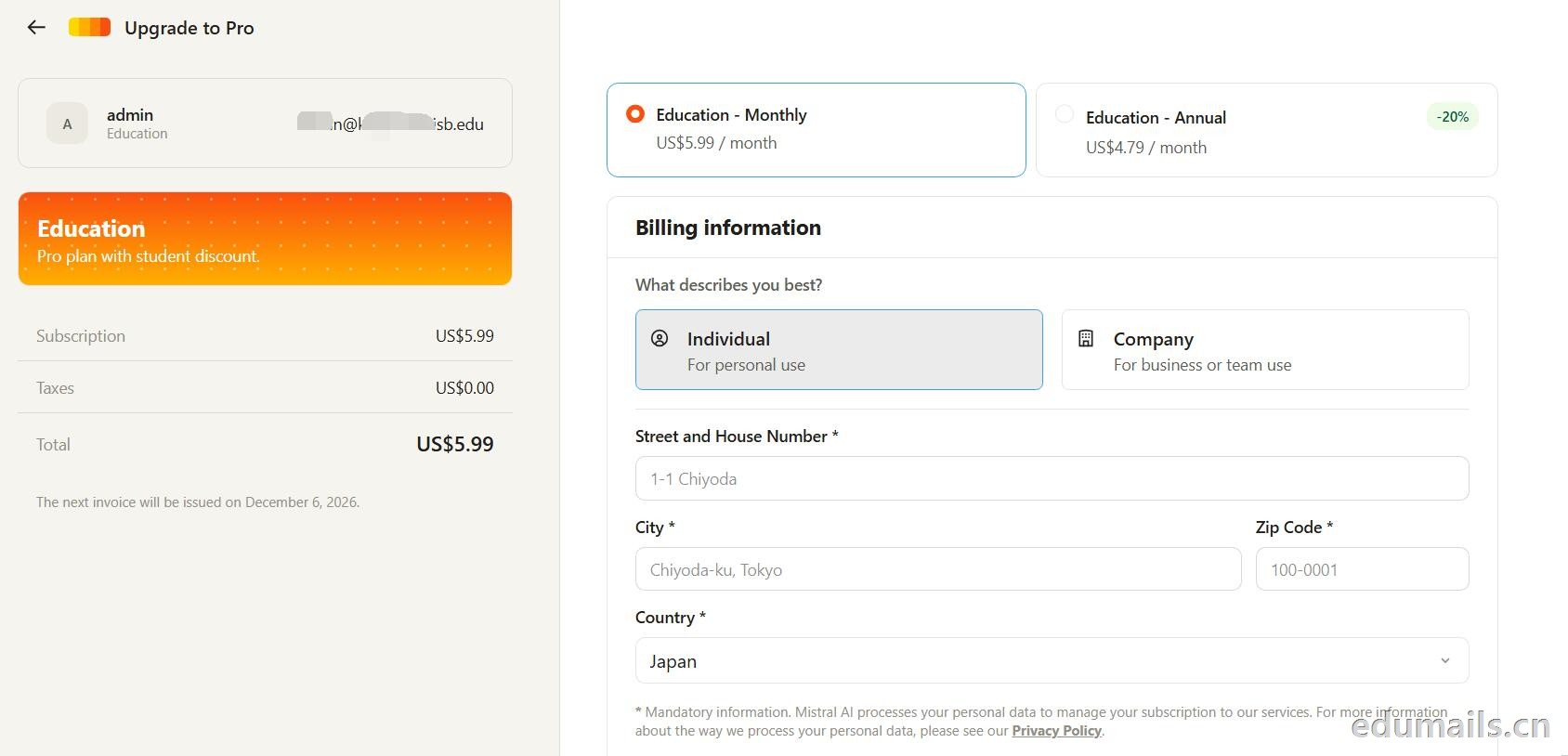 走到支付这一步,教育优惠的折扣感最直观:界面左侧会明确打出“Pro plan with student discount”,只要绑定了


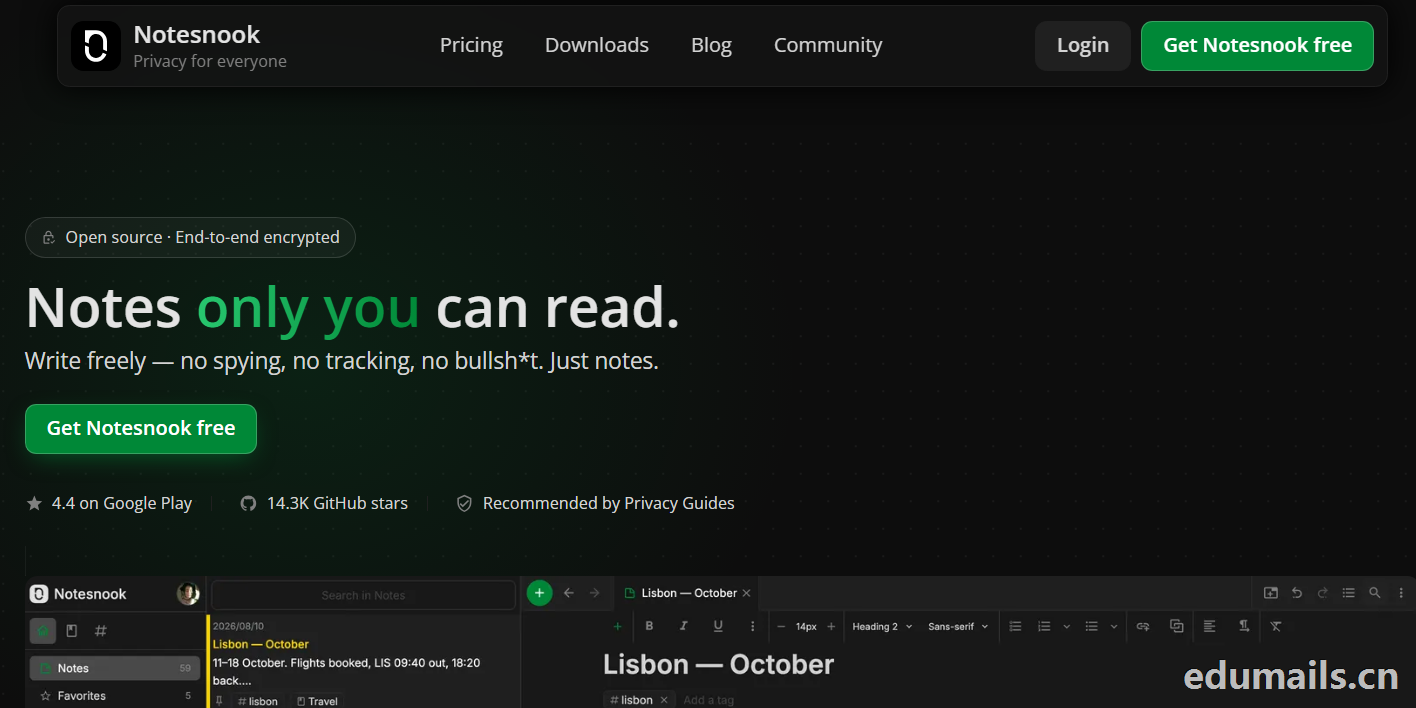
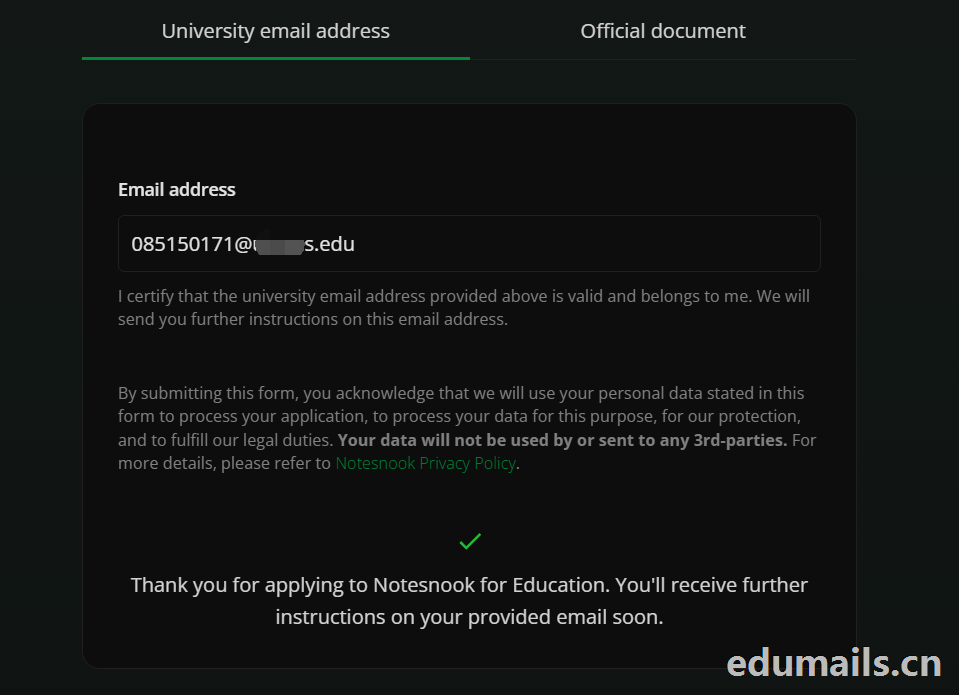 Thank you for applying to Notesnook for Education. You'll receive further instructions on your provided email soon.
如果我们的美国edu邮箱符合秒过要求,则如上图展示效果:感谢您申请 Notesnook 教育版。您很快就会在所提供的邮箱中收到后续指引。
我们打开edu邮箱提示收到
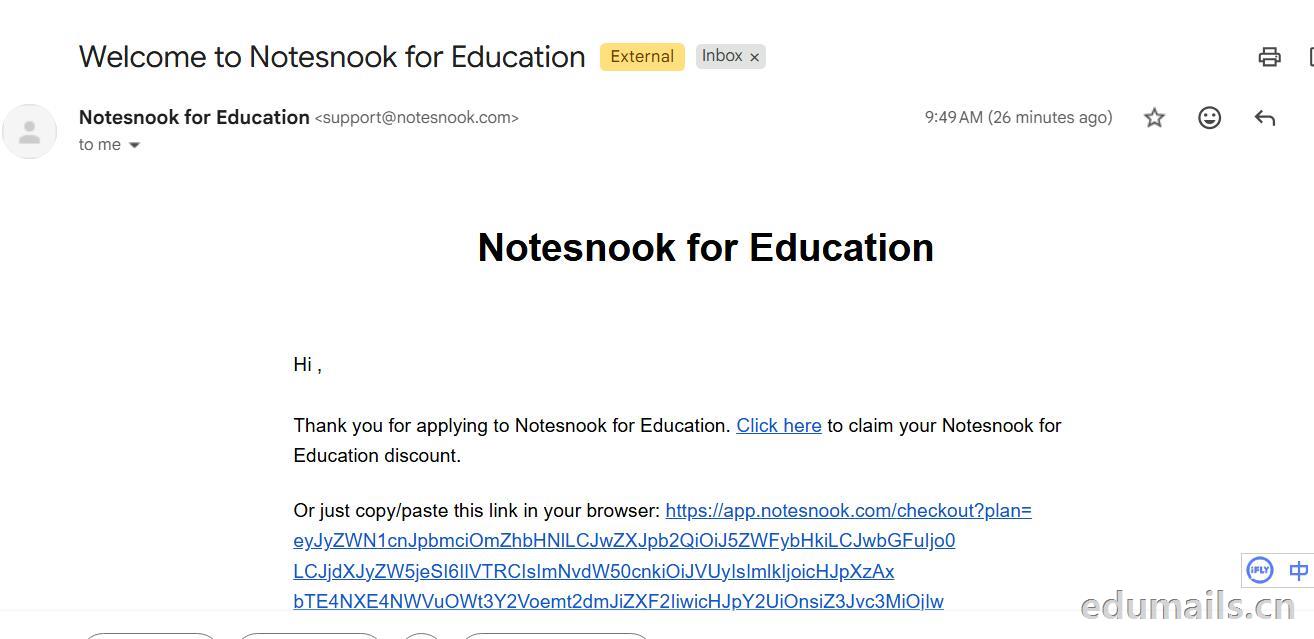 Thank you for applying to Notesnook for Education. Click here to claim your Notesnook for Education discount. 感谢您申请 Notesnook 教育版。点击此处领取您的 Notesnook 教育版折扣。

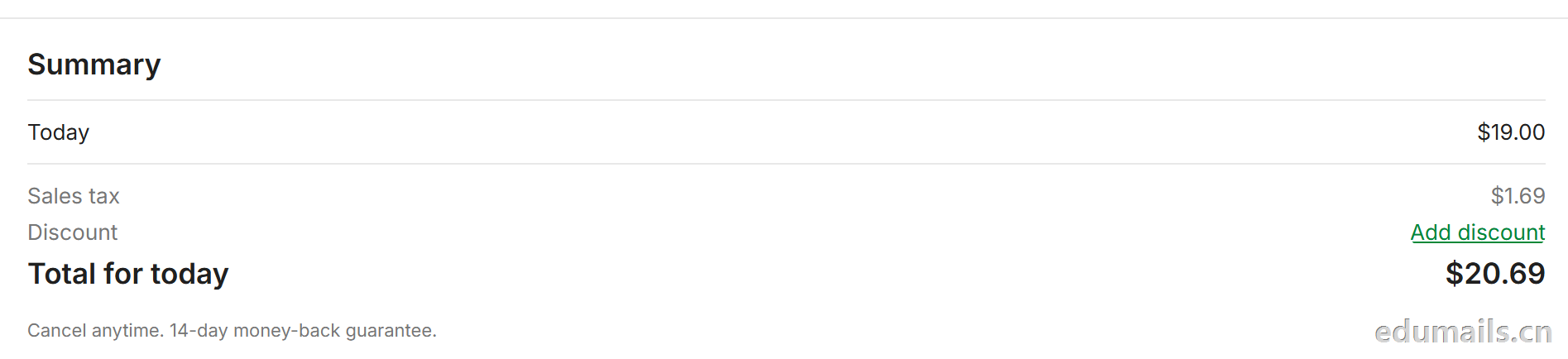 我们看到价格是20美金,官方支持paypal、信用卡支付,如果没有支付方式可以找代付解决。

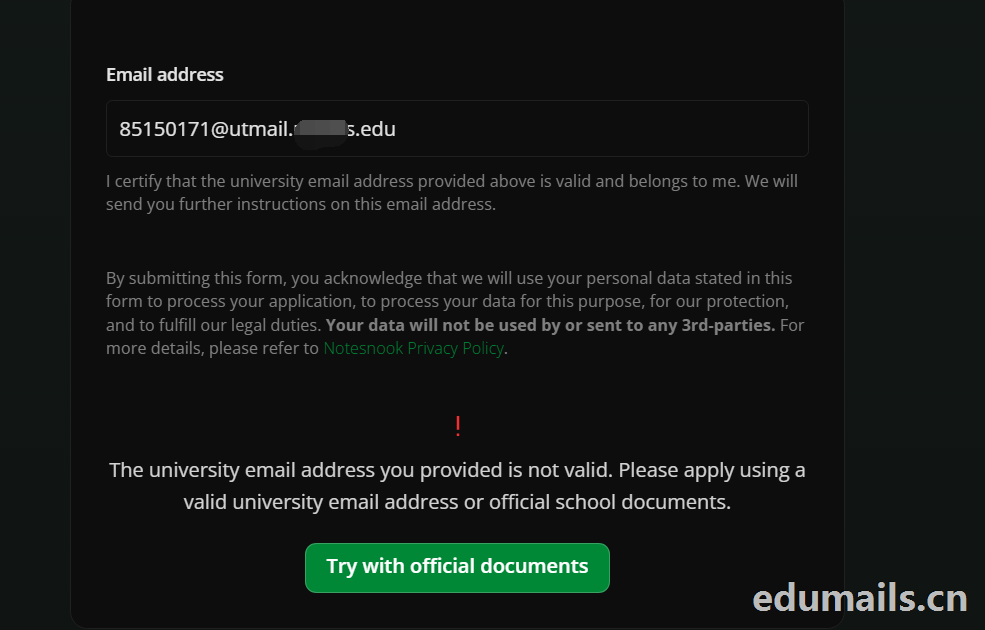 The university email address you provided is not valid. Please apply using a valid university email address or official school documents.
您提供的大学电子邮箱地址无效。请使用有效的大学电子邮箱地址或学校官方文件进行申请。我们点击Try with official documents,按照要求提供相关学校官方文件即可通过。
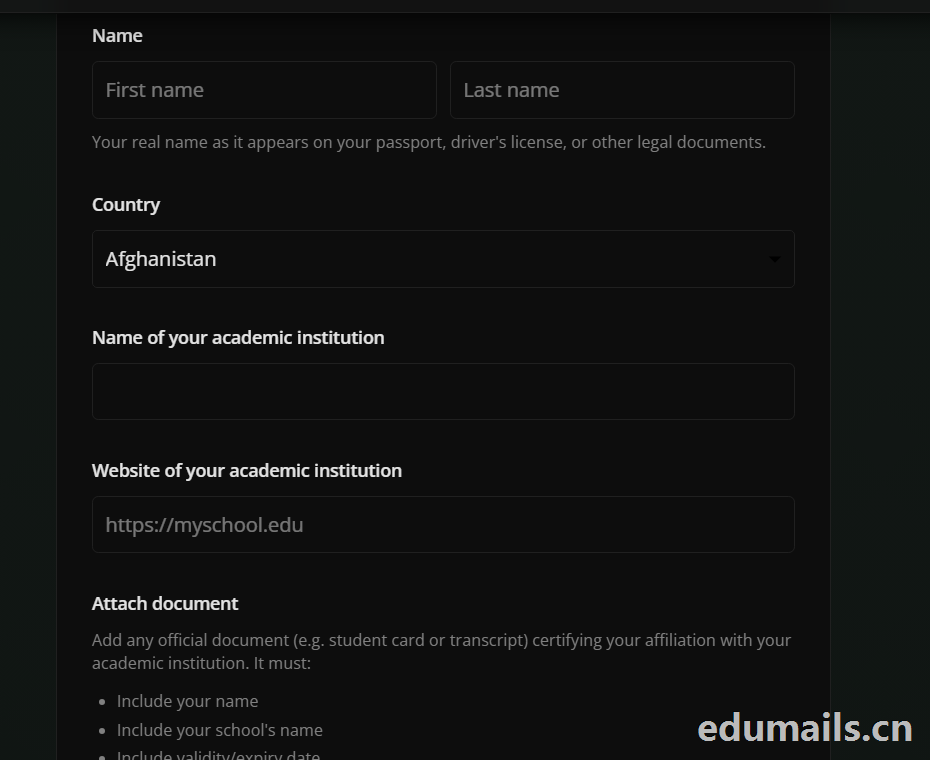

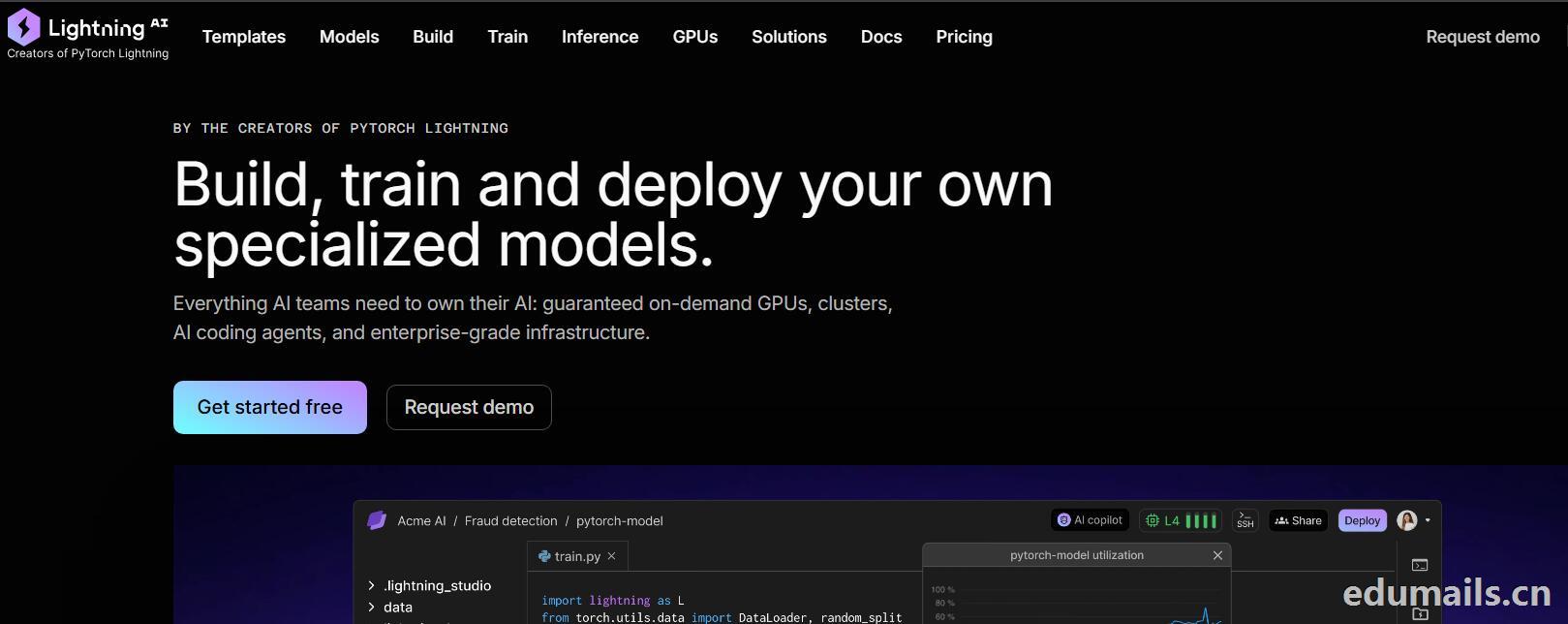
 我们再接着点击Choose Pro,弹出教育资格注册认证页面:如下图所示:Use a work or .edu email for faster verification,使用工作邮箱或 .edu 邮箱以加快验证速度,要求我们必须使用美国.edu结尾邮箱进行注册。
 我们的美国edu邮箱会收到来自no-reply@lightning.ai发送标题为“Confirm your email to finish creating your Lightning AI account”的邮箱验证邮件:
 我们点击完成认证,再次回到价格页面,点击学术价格,弹出如下图所示:
 Select organization to upgrade 我们默认选择即可,提示Upgrade to Academic,会弹出学术价格内容:
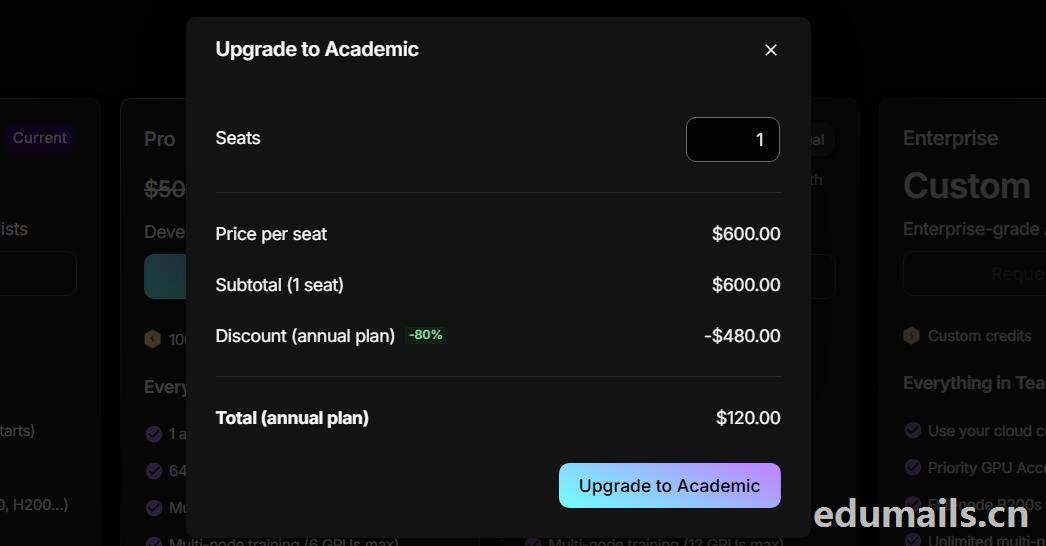 席位(Seats):1 个,每席位原价:$600.00/年,小计(1 个席位):$600.00,年付折扣:-80%,减免 $480.00
最终年付总价:$120.00
最后我们点击:Upgrade to Academic
也就是:学术版 Pro 年付原价 $600,打 2 折后 $120/年,折合 $10/月。需要用学术邮箱/学术身份开通。


 ZH
 EN
666
。。。